Survey QA
Survey QA 1.0.0 summarizes the photos from a processed survey. It uses the survey metadata and runs in the standard Python runtime.
Run the check
Section titled “Run the check”- Get
streetview-survey-qa-1.0.0.zipfrom the SiteVerum 2.1 release or build it from the checkout. Choose Modules → Install ZIP. - Open a processed survey and select Survey QA 1.0.0 under Additional Processing.
- Leave Include per-recording frame totals enabled to see how the extracted photos are distributed. Choose Run module, then Open results.
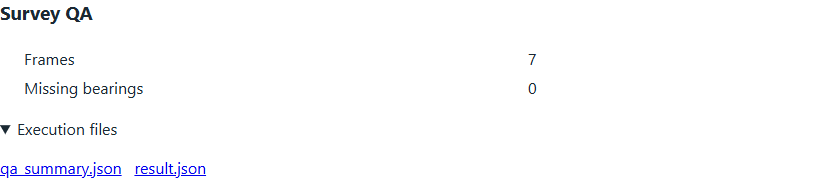
- Under Execution files, choose
qa_summary.jsonto download the report.
Read the report
Section titled “Read the report”- Frames counts the photos extracted by that processing run.
- Missing bearings counts frames with no bearing. Review source GPS and processing settings if the count is high and later processing needs headings.
- Recordings shows the extracted-photo count by recording number, when enabled. Use it to spot a segment that yielded fewer photos than expected.
Survey QA produces a report. Bearing accuracy requires separate review of the survey data.